How it works
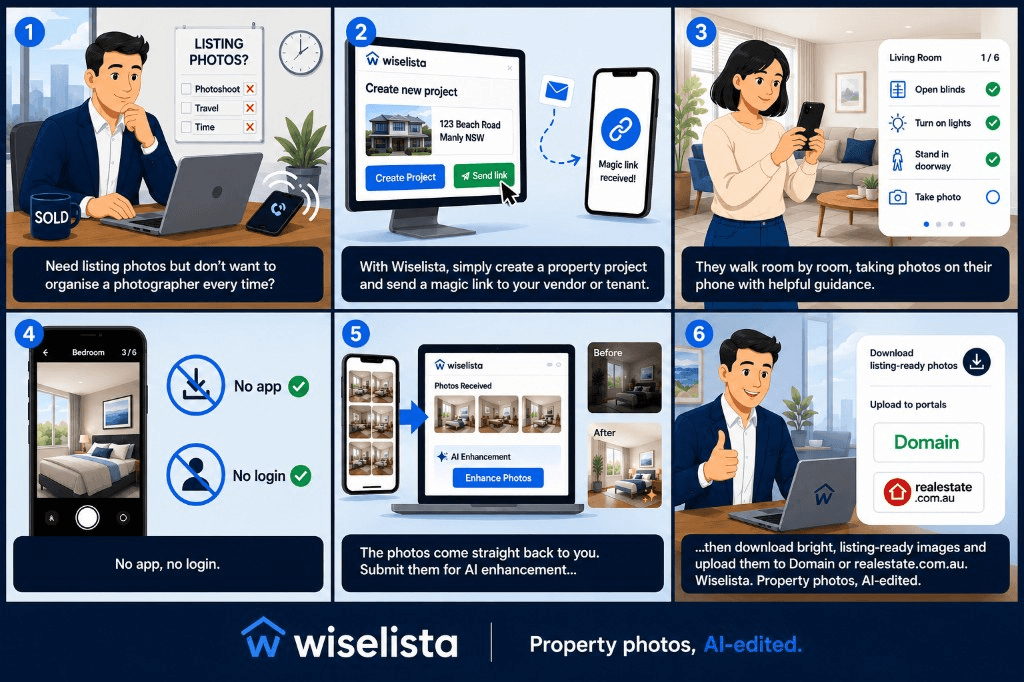
From phone to listing-ready in six steps
Send a link, your vendor or tenant shoots guided room photos on their phone, and you download AI-enhanced images for your portal — no photographer booking required.
Wiselista — property photos, AI-edited
Pro plan — send a capture link to your vendor or tenant. You can also shoot yourself on web or mobile.
The flow
Same story as the explainer above — in order, if you prefer to read step by step.
- 1
Need listing photos but don't want to organise a photographer every time?
- 2
With Wiselista, simply create a property project and send a magic link to your vendor or tenant.
- 3
They walk room by room, taking photos on their phone with helpful guidance.
- 4
No app, no login.
- 5
The photos come straight back to you. Submit them for AI enhancement.
- 6
Download bright, listing-ready images and upload them to Domain or realestate.com.au.
Two ways to capture
You shoot
Agent or property manager
Use the dashboard on desktop or mobile.wiselista.com on site. Guided room-by-room capture, then submit for enhancement.
They shoot · Pro
Vendor or tenant
Create a project, send the magic link by email or SMS. They photograph each room on their phone — no app install, no login — and photos land in your dashboard.
Property photos, AI-edited.
Core from $29 AUD · Pro from $49 AUD · No subscription